Instructional Technology allows students the opportunity to engage with technology that enhances teaching and learning in the classroom and provides opportunities for students to develop the lifelong skills needed. It provides educators with the ability to create interactive, highly engaging and personalized learning experiences for students.

The use of instructional technology also allows for easy access to information both in and out of the classroom.


For support with Instructional Technology, please contact Jessica.Gutierrez@stlucieschools.org

Canvas

Canvas_logo_single_mark

Canvas is our K-12 Learning Management System (LMS). Teachers use Canvas as an extension to class instruction by posting assignments, providing feedback, and communicating with students. It allows students to move beyond the four walls of the classroom. Students can access resources and content from home from any desktop browser, or from a mobile device with the Canvas mobile application.

Dashboard-new-ui-500x300

Nearpod

nearpod

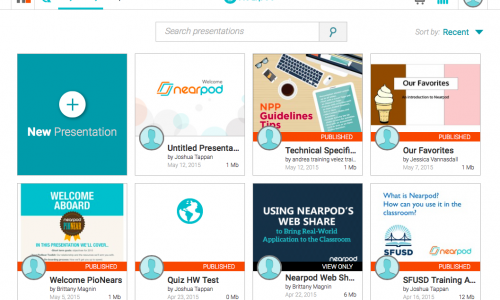
Nearpod is a web-based classroom tool that is used to engage students by adding interactive activities to lessons. Some activities include polls, collaboration boards, and game-based quizzes. Students can submit responses through any mobile device or laptop. It can also be used to gain a snapshot of student progress.

PostML1-500x300

Microsoft Office

Microsoft-Office-for-Students-banner-instructional-technology

Microsoft’s Advantage Program provides the full version of Microsoft Office (Microsoft Word, Excel, PowerPoint, Outlook, OneNote, Publisher, Access, etc.) free for all St. Lucie Public Schools teachers and students, in District operated schools, for use on their personal and mobile devices. Teachers and students can download the software on up to 5 devices. Download and activation requires a network username and password.

software-1030x613

Discovery Education

de-logo-mobile-dark

Discovery Education provides a rich selection of standards-based digital content for students in grades kindergarten through twelfth across multiple content areas, providing timely, relevant content and useful tools and resources to engage students, track progress, and gain professional inspiration every day. The platform also provides a myriad of self-paced professional learning for teachers.

1612-Ref-DiscoveryEdu-Online-500x300

i-Ready

I-Ready-Symbol

The i-Ready Diagnostic is an adaptive assessment that adjusts its questions to suit your student’s needs. Each item a student sees is individualized based on their answer to the previous question. For example, a series of correct answers will result in slightly harder questions, while a series of incorrect answers will yield slightly easier questions.

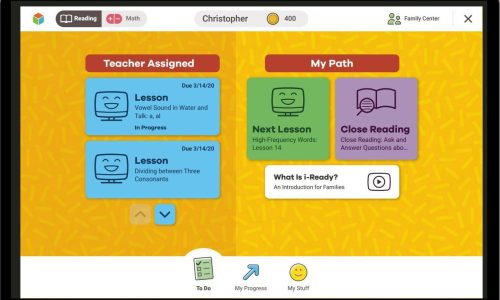
i-Ready Personalized Instruction provides students with lessons based on their individual skill level and needs, so your student can learn at a pace that is just right for them. These lessons are fun and interactive to keep your student engaged as they learn.

iReady_Student_Page

IXL

IXL-Logo-500x281

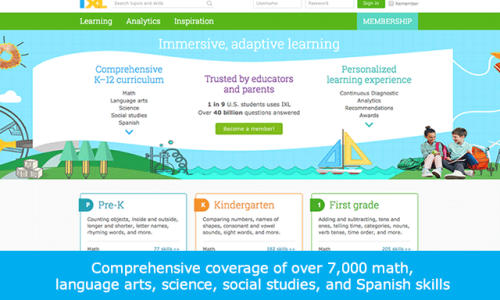
IXL provides thousands of curriculum and instructional resources, actionable analytics, and a state-of-the-art assessment suite. IXL covers math, language arts, science, social studies, and Spanish.

IXL makes learning fun and engaging with friendly competitions, collaborative activities, and more. Plus, with thousands of video tutorials, step-by-step lessons, and corrective feedback, students have the guidance and support they need to learn independently.
IXL